Quiet Mechanical Keyboard vs Scissor Keyboard for Home Office Work
Mechanical keyboards offer more switch choice and repairability, while scissor keyboards stay slim, familiar, and usually quieter. The best office keyboard depends on noise, travel, and typing fatigue.
How this article was prepared
This article is based on comparative research, published product documentation, pricing review, and practical workflow analysis. We do not claim hands-on testing unless the article explicitly says so.
Read the editorial policyKeyboard advice often begins with switch names and ends before the daily work is considered. For a home office, the more useful questions are simpler: How much noise can the room tolerate? Do you move the keyboard? Does long key travel feel comfortable, or does it slow you down?
A quiet mechanical keyboard and a good scissor-switch keyboard can both support a full workday. They simply reach that goal in different ways.
What the mechanisms change
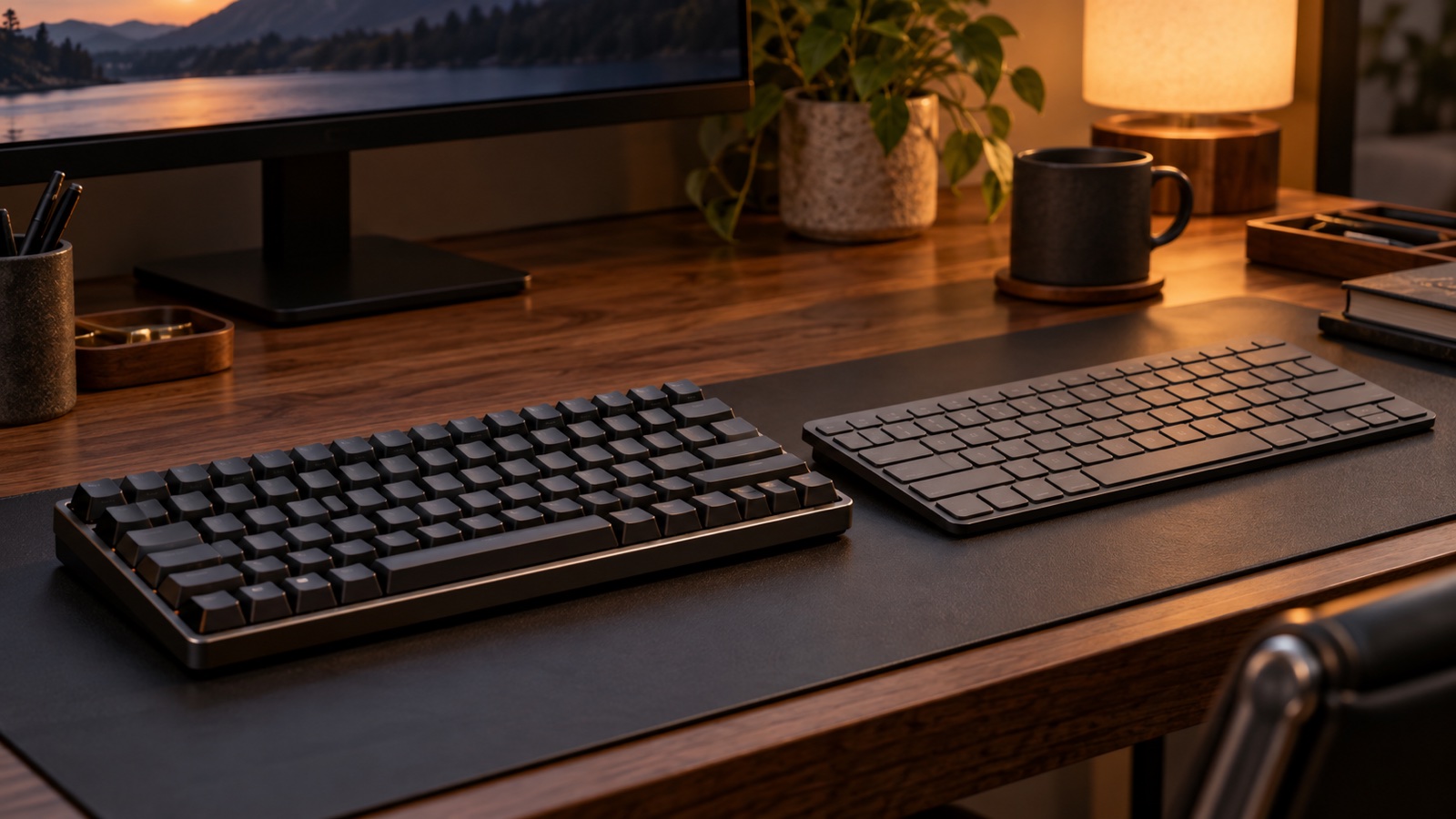
Mechanical boards place an individual switch under each key. That creates more choice in feel, sound, layout, and replacement parts. Scissor keyboards use a low-profile stabilizing mechanism, producing shorter travel and a thinner case similar to many laptops.
Neither design is automatically more ergonomic. Comfort depends on key force, travel, front height, wrist position, and familiarity.
Choose mechanical for control and longevity
A mechanical keyboard makes sense when you care about a specific key feel or want parts that can be replaced. Hot-swappable models can accept different compatible switches without soldering, which is useful if the original feel proves too heavy or loud.
For shared rooms, look for switches described as silent rather than merely linear. The switch is only one source of sound: stabilizers, keycaps, the case, the desk, and bottoming out can all make a supposedly quiet board noticeable.
Before buying, check:
- Whether the layout includes the navigation keys or number pad you use
- The height of the front edge and whether a wrist rest is needed
- Wired, wireless, and device-switching behavior
- Replacement switch and keycap compatibility
- Return terms, because sound is difficult to judge from a recording
Choose scissor switches for simplicity
Scissor keyboards are usually thinner, lighter, and familiar to laptop users. The short travel can feel fast for writing and routine shortcuts, and the lower case often works without a wrist rest.
They are a strong fit for hot desks, small work surfaces, and anyone who moves between a laptop and external keyboard. The compromises are limited customization and less repairability. If one key fails, the practical fix may be replacing the entire keyboard.
Noise is a room-level problem
A quiet keyboard on a hollow desk can still sound sharp. A desk mat can reduce reflected sound and keep the board from sliding, while gentler typing often matters more than another layer of foam inside the case.
If you share calls with someone in the same room, test the keyboard with the microphone and noise-suppression settings you actually use. The sound heard through a meeting app may differ from what you hear at the desk.
Match the board to your shortcuts
Compact layouts save width but move or hide keys behind layers. That is harmless if you mostly write. It can be irritating if editing, spreadsheets, or development work depends on function keys, arrows, Home, End, or a number pad.
Use your current keyboard for a week and note every key outside the main letter block. That list is more useful than a generic recommendation for a 60%, 75%, or full-size layout.
A sensible buying order
First choose the layout. Then choose case height and connection type. Only then compare feel and sound. This prevents a pleasant switch from distracting you from a board that lacks essential keys or fits poorly on the desk.
Our guide to editing desk accessories uses the same rule: fix the repeated interruption before buying for appearance.
The practical verdict
Pick a scissor keyboard when you want a slim, predictable tool that moves easily between workspaces. Pick a quiet mechanical keyboard when key feel, layout choice, and replaceable parts justify a taller, more involved setup. For most shared home offices, actual noise and the keys you use every day should decide the purchase.