Webcam vs Phone as a Webcam for Video Calls
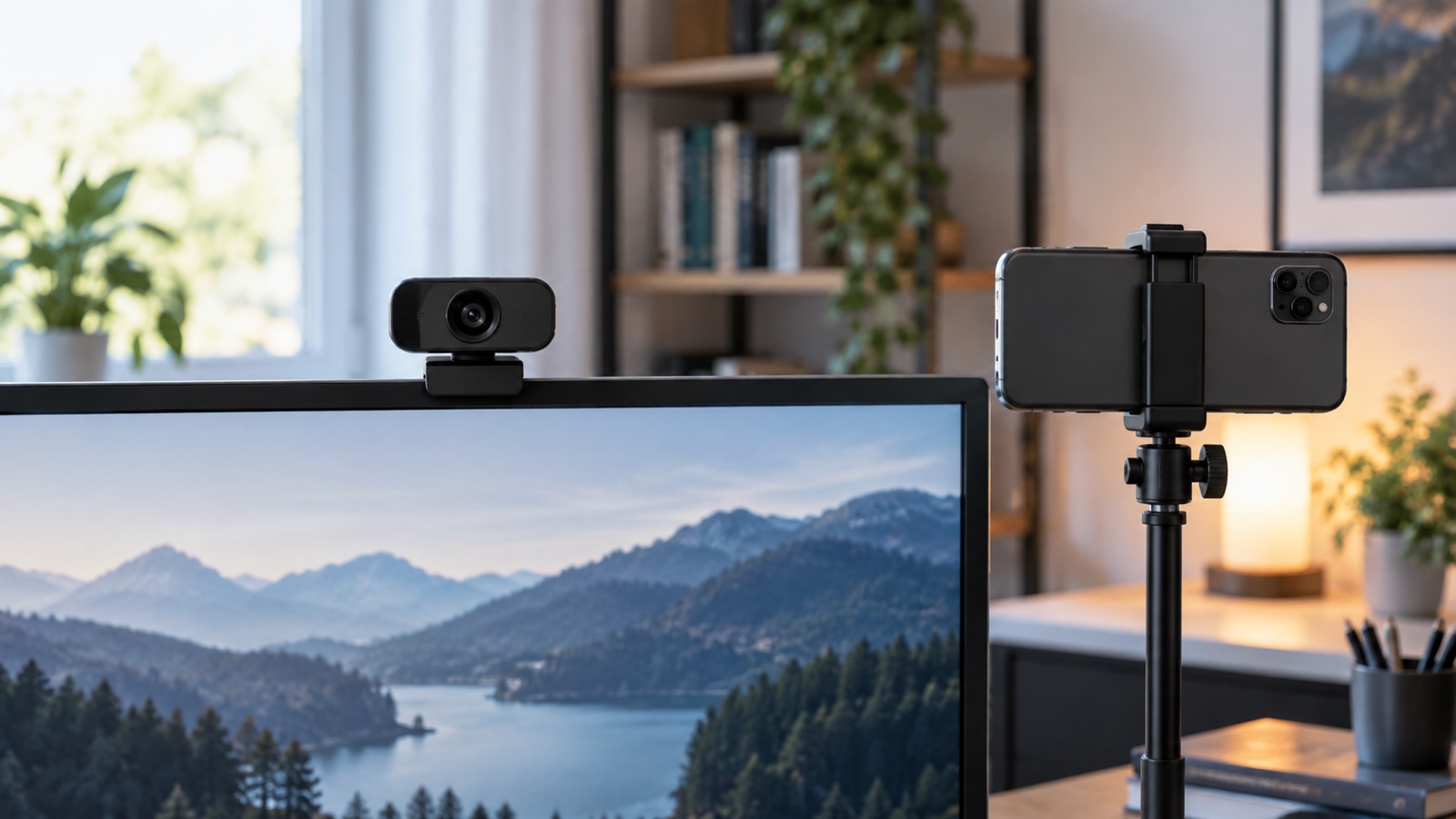
A dedicated webcam is faster to start and easier to leave aligned. A phone can produce a stronger image, but power, mounting, notifications, and daily setup decide whether it is practical.
How this article was prepared
This article is based on comparative research, published product documentation, pricing review, and practical workflow analysis. We do not claim hands-on testing unless the article explicitly says so.
Read the editorial policyA recent phone can produce an excellent video-call image, which makes a separate webcam seem unnecessary. The image is only part of the workflow, though. A call camera also needs to be mounted at a useful angle, connected reliably, powered, and ready before the meeting starts.
The right choice depends on whether you value a better image enough to accept a more involved setup.
Where a dedicated webcam wins
A webcam can remain attached to the monitor, pointed at the chair, and connected to the computer. That consistency is its biggest advantage. It does not drain the phone, interrupt personal notifications, or need to be removed from a case before every meeting.
Webcams also tend to work across meeting apps without requiring a wireless link or special continuity feature. For a shared computer or managed work device, that predictability may be more important than image quality.
The compromise is the smaller camera and fixed placement. A webcam can look poor in a dark room, and a wide field of view may reveal more background than you want.
Where a phone wins
A phone can provide better detail, dynamic range, and low-light behavior than a basic webcam. It is especially useful for occasional presentations, recorded interviews, or calls where image quality matters more than a one-minute setup.
The phone needs a stable mount near eye level. Leaning it against the monitor creates a low or off-center angle and makes it vulnerable to vibration. Also plan power for long calls and decide whether the connection will be wired or wireless.
If the phone is your only authentication device, consider what happens when you need to approve a login, answer an urgent message, or take a call while it is serving as the camera.
Lighting matters more than the camera upgrade
Face a soft light source and avoid a bright window directly behind you. A modest webcam in good light often looks more professional than a better camera pointed into a dark face with a blown-out background.
Use our webcam lighting upgrade guide before assuming the camera is the weak link.
Compare framing and eye contact
Place the lens close to the part of the screen where other participants appear. A phone mounted far to one side may create a sharper image but worse eye contact. Check the preview at the same window size used during real meetings.
Test whether software reframing, portrait effects, or background blur change the computer's load or crop the image too aggressively. Turn off features that make the picture less stable.
Test the complete call workflow
For each option, run this five-minute rehearsal:
- Join a private test meeting from the normal desk.
- Confirm the camera appears after sleep or restart.
- Record speech while typing and moving naturally.
- Check framing with the meeting controls visible.
- Disconnect and reconnect the device once.
The better option is the one that returns to a usable state without troubleshooting.
When a separate microphone changes the answer
Many people choose a camera based on its built-in microphone, then replace the audio path later. If you already use a headset or desk microphone, compare the cameras only on image and workflow. Keep the microphone close enough for clear speech and select it explicitly in the meeting app.
The practical verdict
Choose a dedicated webcam for frequent meetings, a permanent desk, and reliable one-click starts. Use a phone when calls are less frequent, image quality matters, and you can leave a stable mount and power connection ready. The best camera is not the sharpest one; it is the one that is aligned, lit, and available when the call begins.