How to Choose a Surge Protector for a Home Office
A useful surge protector has credible safety certification, enough spaced outlets, a clear protection indicator, and a cable that reaches without creating a trip hazard.
How this article was prepared
This article is based on comparative research, published product documentation, pricing review, and practical workflow analysis. We do not claim hands-on testing unless the article explicitly says so.
Read the editorial policyA home-office power strip is easy to ignore until every outlet is full and adapters are stacked at awkward angles. The right product should make the power layout safer and easier to inspect. It should not become permission to overload one wall outlet with every high-draw appliance in the room.
Start with the equipment at the desk, then separate ordinary outlet expansion from surge protection and battery backup.
List the devices and their plugs
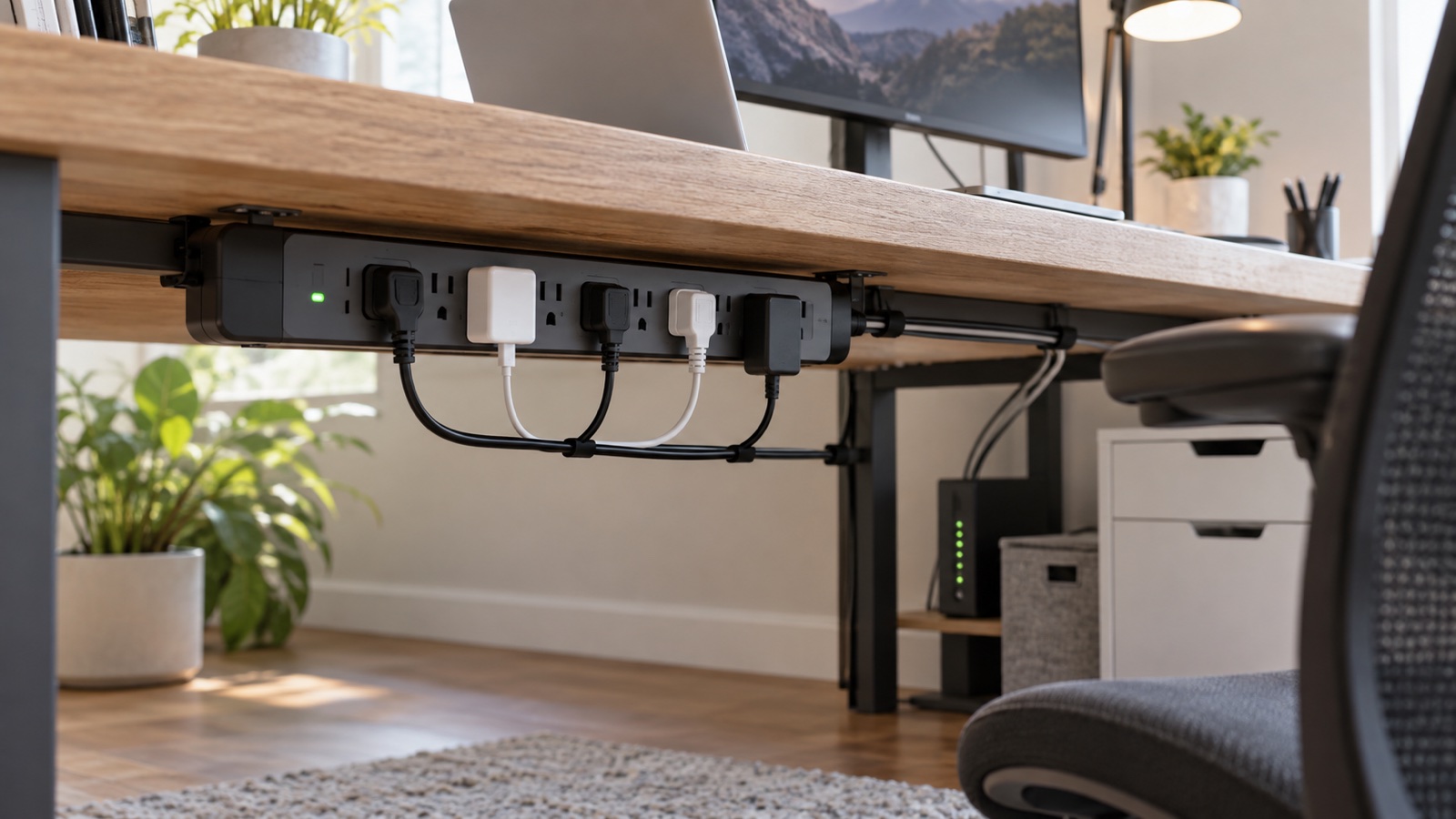
Count the monitor, computer charger, dock, speakers, lamp, network hardware, and any charging adapters. Note the physical size and direction of each plug. Six outlets on paper may hold only four devices when large adapters block their neighbors.
Choose a layout with enough space for current equipment plus one or two planned additions. Avoid filling every position on day one.
Confirm that it is actually a surge protector
Some products are only outlet strips. A surge protector should state its protective function clearly and carry a credible safety certification for the market where it is sold. Buy from a seller with traceable product information rather than relying on a generic listing with copied specifications.
Look for a visible protection-status indicator. Surge-protection components can wear after repeated events; a light or warning helps show when the unit no longer provides the intended protection. Follow the manufacturer's replacement guidance and replace damaged or questionable equipment promptly.
Understand what it cannot do
A surge protector is not a battery backup. It will not keep the computer running through an outage or give you time to save work. If short interruptions are common and safe shutdown matters, consider an appropriately sized uninterruptible power supply for the computer and essential network equipment.
It is also not a solution for overloaded circuits, damaged outlets, poor wiring, or lightning striking nearby infrastructure. Electrical problems, heat, buzzing, discoloration, or loose outlets require qualified inspection.
Check cord length and placement
Measure the route from the wall outlet to the place where plugs can be reached and inspected. Do not stretch the cord tightly, trap it under furniture, or route it where chair wheels repeatedly cross it.
A very long cord creates its own clutter. Choose the shortest length that reaches safely with modest slack. Wall-mounting slots can keep the strip off the floor, but only mount it in an orientation allowed by the manufacturer.
Our portable power setup guide covers a different use case: charging and backup power away from the fixed desk.
Protect data connections separately
Power is not the only path into office equipment. Network, coaxial, and telephone lines may need their own protection depending on the setup. Avoid adding connections you do not need, since every pass-through can complicate troubleshooting or limit performance.
For important work, the broader plan should still include automatic saving and a verified backup routine. Hardware protection reduces risk; it does not make stored data recoverable.
A practical checklist
Before buying, confirm:
- Credible safety certification for your country
- Enough outlets with spacing for real adapters
- A visible protection-status indicator
- An appropriate electrical rating for the intended devices
- A cord that reaches without an extension chain
- A warranty and manufacturer you can identify later
Avoid plugging one power strip into another. Keep heaters, kettles, air conditioners, and other high-draw appliances on suitable outlets according to their instructions rather than sharing the desk strip.
The practical verdict
Choose a surge protector as infrastructure, not decoration. Clear certification, usable spacing, status visibility, and safe cable routing matter more than USB ports or a fashionable case. Then label the purchase date and keep it accessible enough to inspect, because power equipment should never disappear permanently under a pile of cables.