Best Budget Monitor Upgrade for a Small Home Office
A better monitor is often the first home office upgrade that actually changes how work feels. The trick is buying enough screen, brightness, and stand flexibility without overpaying for creative-pro specs you will never use.
Affiliate disclosure
This page may contain affiliate links. ReviewHarbor may earn a commission from qualifying purchases at no extra cost to you. Commercial relationships do not determine the editorial conclusion.
How this article was prepared
This article is based on comparative research, published product documentation, pricing review, and practical workflow analysis. We do not claim hands-on testing unless the article explicitly says so.
Read the editorial policyA monitor upgrade should solve daily friction, not become another research rabbit hole. Finding the right display can dramatically change how you feel at the end of a long workday, but the tech industry often pushes specs that simply don't matter for spreadsheet crunching, writing, and video calls.
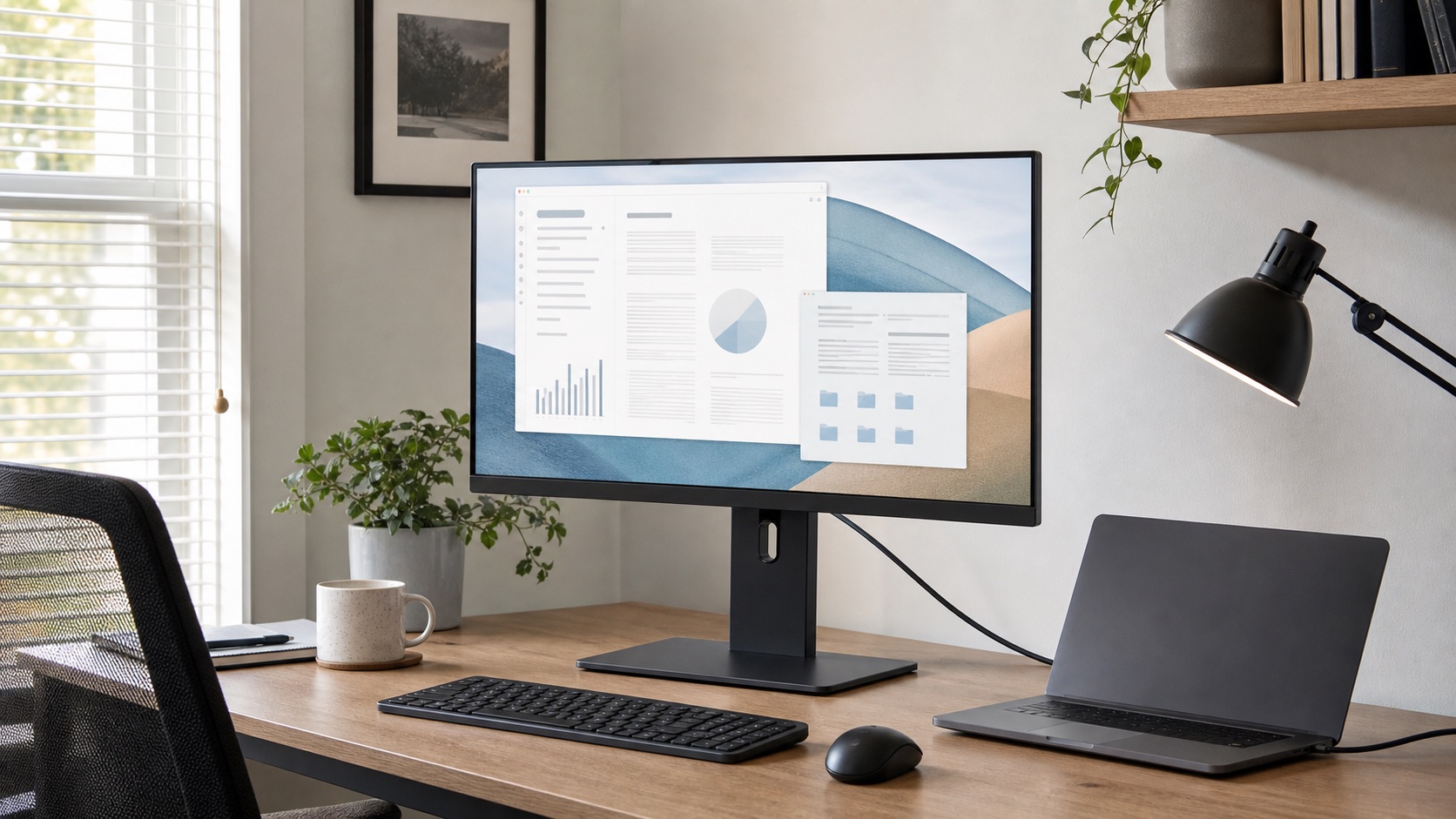
Most people shopping for a home office display do not need a giant 4K panel with a premium color workflow. They need a screen that is easy to read for long stretches, bright enough for daytime use, and flexible enough to sit at the right height without forcing bad posture. The goal is to reduce eye strain and physical discomfort, not to edit Hollywood films.
What matters most
When you're working 8 hours a day, comfort and usability are king. Here is what you should actually prioritize:
- A 27-inch screen size: This gives you enough physical room to snap two windows side-by-side without completely dominating a standard-sized desk or making your room feel like a server closet.
- A highly adjustable stand: Height adjustment is non-negotiable. If you can't raise the screen to eye level, you will inevitably end up hunching over, undoing all the benefits of an external display.
- Solid brightness levels (300+ nits): This is crucial for daytime use if your desk is near a window. A dim monitor forces you to squint and lean forward.
- Ports that fit your laptop setup: The right ports can eliminate the need for a separate bulky docking station.
What matters less than people think
Consumer electronics marketing is built around pushing numbers higher, even when those numbers offer diminishing returns for knowledge workers:
- Extreme refresh rates (144Hz+): Unless you are transitioning from work to competitive gaming at 5 PM, standard 60Hz or 75Hz is perfectly fine for reading and writing.
- Ultra-wide panels for shallow desks: These look incredible in photos, but if your desk isn't deep enough, you'll be constantly turning your head, and the screen will feel too aggressive in your peripheral vision.
- Creator-grade color claims (100% Adobe RGB): If your work is mostly browser tabs, Google Docs, Slack, and Zoom, basic SRGB coverage will look absolutely perfect.
A practical starting point
For most readers, a 27-inch QHD (1440p) monitor is the absolute sweet spot. Text is significantly sharper than basic 1080p, meaning less eye fatigue. Windows fit comfortably side by side without feeling cramped, and the overall footprint still works on common apartment desks (typically 48 to 60 inches wide).
If your laptop only has one USB-C port available, look carefully at connectivity before buying. Searching for a monitor with USB-C power delivery (PD) is a game-changer. A display that handles video, data, and laptop charging over a single cable reduces clutter and can save more annoyance than a panel with slightly better contrast.
Measure the desk before comparing models
Screen size is only useful when the display fits the viewing distance and leaves room for the rest of the setup. Measure the usable desk width and depth, then mark the proposed screen width with painter's tape or a piece of string.
Check four dimensions:
- Distance from your normal seated position to the screen
- Width available after speakers, a laptop stand, and a lamp are included
- Height available below shelves or cabinets
- Space behind the display for the stand, cables, or monitor arm
Stand depth is easy to miss. A wide V-shaped base can occupy the exact area where a keyboard, notebook, or laptop needs to sit. If the included stand is awkward, confirm that the monitor supports a standard VESA mount and that the desk edge can safely accept an arm.
Choose resolution from viewing distance
Resolution affects text clarity and usable workspace, but operating-system scaling also matters. A high-resolution screen can display very small interface elements at native scale, while aggressive scaling may reduce the extra workspace you expected to gain.
For ordinary office use, compare these practical combinations:
- 24-inch 1080p: lower cost and reasonable at a modest viewing distance, especially as a secondary display
- 27-inch 1440p: a balanced option for two-window work and readable text without an oversized footprint
- 27-inch 4K: sharper text and useful for detailed visual work, but usually requires interface scaling
- Larger 4K or ultrawide: helpful for specialized timelines, dashboards, or multi-window workflows when the desk is deep enough
Test the laptop and operating system with a similar display if possible. Some older laptops have limitations around external resolution, refresh rate, or multiple displays.
Compare ports as a system
USB-C on the product page does not automatically mean one-cable operation. Confirm that the port accepts video from the laptop and provides enough power delivery for that computer. Then check whether the monitor's USB ports remain available at the selected connection and whether Ethernet or audio support is relevant.
If the display lacks enough charging power, the laptop may drain slowly under load or still need its original charger. In that case, a simpler display plus a dependable dock may be a cleaner choice. Our dock versus USB-C hub guide explains that tradeoff.
Use the return window as a real test
Display quality is difficult to judge from a specification sheet. During the return period:
- Use the monitor during the brightest part of the day.
- Read text at the scaling level you expect to keep.
- Connect every laptop and accessory in the planned setup.
- Check stand wobble while typing and using the desk.
- Look for distracting glare, inconsistent brightness, or visible defects.
- Verify sleep, wake, and input switching over several workdays.
A strong warranty and straightforward return policy matter because panel defects and compatibility issues may not appear in a showroom.
When 24 inches still makes sense
There are valid cases where a smaller 24-inch, 1080p screen is still the better buy. If your desk is extremely narrow (like a hallway console table converted into a desk), your viewing distance is less than an arm's length, or you simply want a secondary vertical screen for chat apps and email, a smaller panel can be the smarter, more comfortable decision.
The biggest mistake is assuming bigger always means better. On a cramped desk, larger screens force more head movement and consume valuable real estate, making speakers, lamps, notebooks, and even your cup of coffee harder to place.
A better buying order
If you are upgrading from a laptop-only setup, don't rush to buy everything at once. I would prioritize your decisions in this order:
- External Monitor: Get the display first to fix your primary focal point.
- Monitor Arm or Stand Position: Dial in the ergonomics. A basic VESA arm can reclaim massive amounts of desk space.
- Keyboard and Mouse Refinement: Once you aren't leaning over a laptop keyboard, a wireless peripheral set makes a huge difference.
- Secondary Display: Only consider this if the first screen is already dialed in and you concretely identify a bottleneck in your window management.
The bottom line
The best budget monitor is not the one with the loudest spec sheet or the highest price tag. It is the one that makes ordinary work calmer, clearer, and less physically taxing every day.
Buy for text legibility, physical desk fit, and cable simplicity first. That is where the real daily improvement usually shows up.